Multi-Board Integration
The PCB editor is the KiCad PCB editor with the Agent sidebar and Auto Constraint for net-class generation from the design (agent sidebar, or Auto-generate in Net Classes setup). When opened from a sub-project of a multi-board container, it gains cross-board awareness. For routing, placement, zones, layers, design rules, and Gerber export, the stock KiCad documentation applies.
Connector pads carry cross-board net names
After syncing the MBS to PCB (run from the MBSCH editor, not from here), every connector pad on a cross-board net carries the cross-board canonical name (e.g. USB_DP) rather than the sub-project's local name. The Properties panel and net highlighting both show the cross-board name.
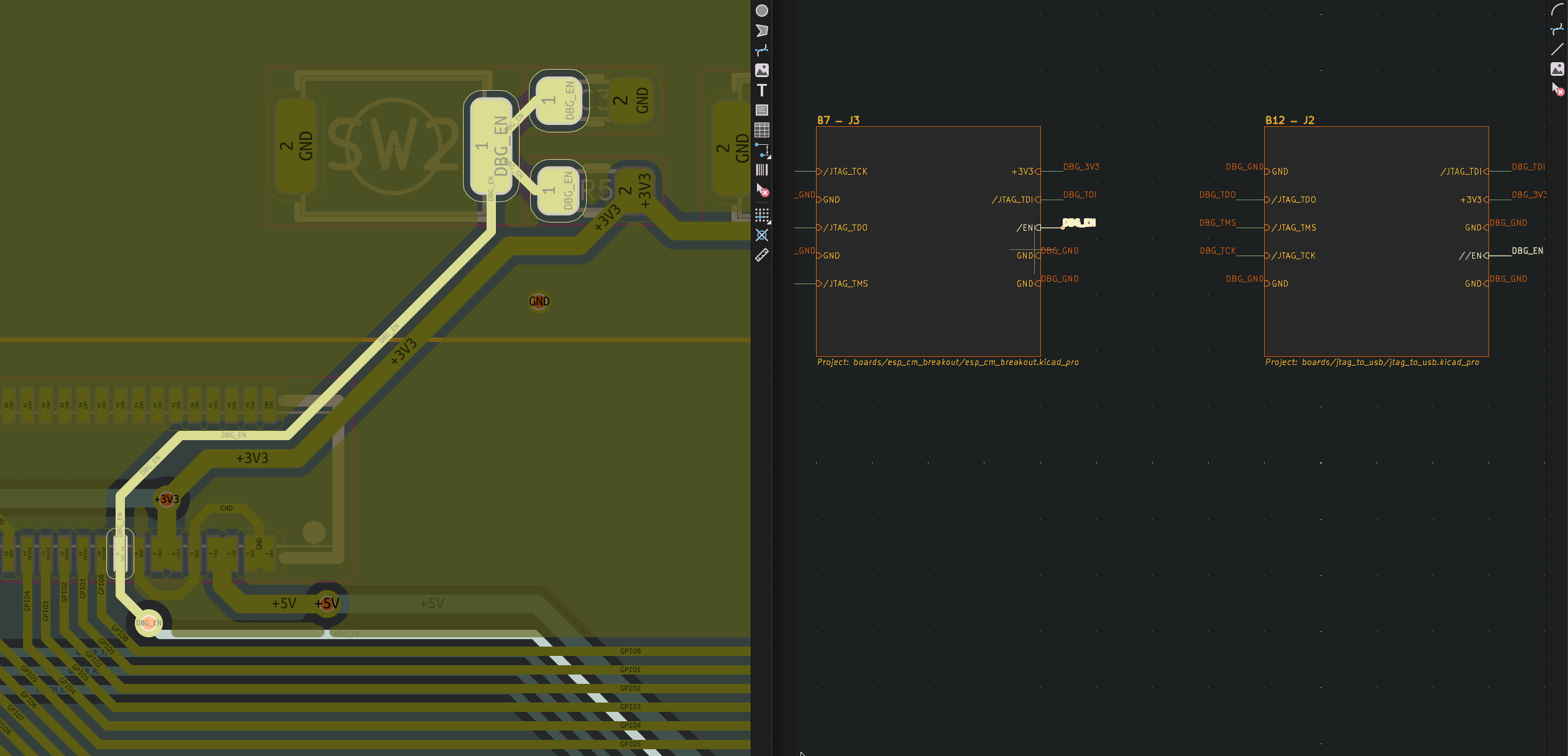
Sync to schematic
The PCB editor's Sync PCB to Schematic action also refreshes this board's module block on the MBS, keeping the MBS current with the sub-board's connector state. It refreshes only this board; to refresh every sub-board at once, run Refresh from sub-projects on the MBS instead.
Cross-board DRC
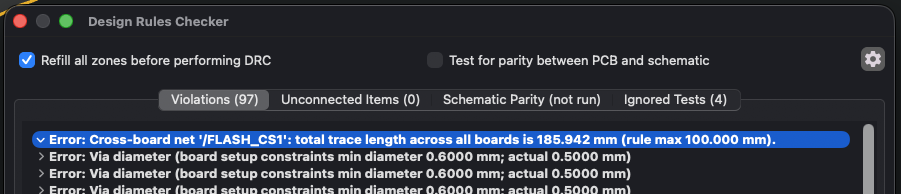
DRC on a sub-board includes cross-board rule sets defined on the container: max trace length, min power pin counts, voltage drop, current rules, and cross-board diff pairs (see Cross-Board Rules). Violations that span boards are reported in DRC output of every affected sub-project.
Inspect → Validate Multi-Board Project... runs cross-board validation from the PCB editor without opening the full DRC pass. This validates rules and cross-board net consistency but does not trigger a sync.
Net classes inherit from the container
A sub-board's PCB inherits the container's net classes. See Net Classes for the replication mechanism and the SHARED / LOCAL / CONFLICT statuses.