Setting Project Libraries
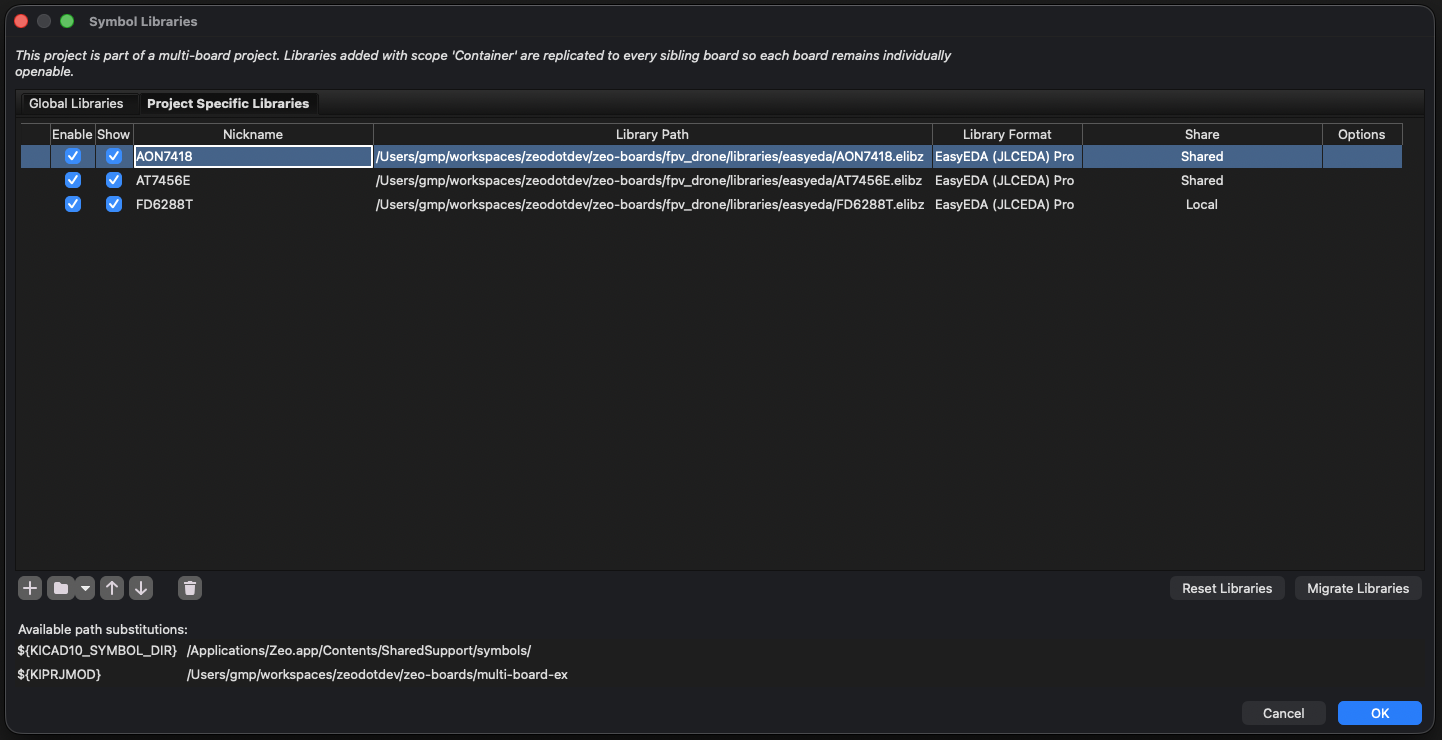
KiCad has two table files per project: sym-lib-table (symbols) and fp-lib-table (footprints). The default layout matches stock KiCad. For multi-board projects, Zeo adds a third scope (container) and a Share column in the Manage Libraries dialog that tells you the state of every row.
The Share column
Open Preferences → Manage Symbol Libraries / Footprint Libraries → Project tab on a sub-project of a multi-board container. Every row shows one of three values in the Share column:
| Share value | Where the row lives | Why |
|---|---|---|
| Local | This sub-project's lib-table only | Added to this sub-project. Other sub-projects and the container do not see it. |
| Shared | This sub-project's lib-table AND the container's lib-table | Added at the container scope, then physically cascaded into this sub-project with a shared=true marker. Stays in sync with the container. |
| Conflict | This sub-project AND the container, with different URI or options | A container-shared row collided with a pre-existing Local row of the same nickname. Both stay on disk; the Local row wins lookups for this sub-project. Surface and resolve before the names diverge further. |
The Share column is the fastest way to audit a sub-project's library state. Sort by Share, scan for Conflicts, then confirm Shared rows match what you expect.
The three scopes
- Global: the user-wide tables in
~/Library/Preferences/kicad/(or platform equivalent). Every project the user opens sees these. Stock KiCad behavior, no Share column entry. - Project (local to a sub-project): the lib-table in that project's directory. Shown as
Local. - Container: rows on a multi-board container's lib-table. Physically replicated into every sub-project's lib-table with
shared=true. Shown asShared.
Container scope is physical replication, not a runtime tier. Each lib-table file is read directly. No runtime fallback to the container.
How rows get each Share value
Adding to Global
Preferences → Manage Libraries → Global tab. The row goes into the user-wide table file. Visible from every project. Does not appear in the Project tab's Share column.
Adding to a single-board project
Preferences → Manage Libraries → Project tab. The row lands in that project's local lib-table. Share value: there is no Share column for standalone projects. The row is simply local to that project.
Adding to a multi-board container
From the container project: container library setup panel, or via mbs_setup / add_library. Zeo:
- Writes the row to the container's lib-table.
- Cascades a
shared=truecopy into every sub-project's lib-table.
Sub-projects then show this row as Shared.
If a sub-project already had a Local row with the same nickname:
- URI and options match → the Local row is promoted in place. Share value flips from
LocaltoShared. - URI or options differ → the row is marked Conflict. Both rows stay on disk; the original Local row wins lookups for that sub-project.
Adding to a sub-project from inside the container
Open the sub-project's editor while the container is loaded and add a row via Manage Libraries → Project. The row lands in that sub-project's lib-table with shared=false. Share value: Local. It stays local to that sub-project; container saves do not promote Local rows.
To make a Local row available to every sub-project, promote it using share_library or the desktop promote-to-container action. After promotion the Share value becomes Shared on every sub-project.
Registering a sub-project with a container
When a sub-project is registered (new-project wizard or mbs_setup action="add_sub_project"), its lib-tables are left as-is. No merge step at registration time.
The next container save or sub-project load runs reconciliation:
- Container rows absent from the sub-project: copied in. Share value: Shared.
- Sub-project rows matching a container row by content: promoted. Share value: Local → Shared.
- Sub-project Local rows colliding with a different container row: Share value: Local → Conflict.
- Pre-existing Local rows with no collision: untouched. Share value stays Local.
Sub-projects are individually addressable
A sub-project's .kicad_pro is fully operational on its own. Open it directly (without the container) and it loads only:
- Its own lib-tables
- The Global tables
The container reconciliation step only runs when the sub-project knows its container path AND the loading project is not the container itself. Open the sub-project standalone: container path is empty, reconciliation is a no-op. Any shared=true rows already on disk behave like ordinary local rows. The Share column is not shown for standalone-opened projects.
You can hand a boards/board1/ directory to someone else and they can build it without the container.