Projects
The launcher manages the full project lifecycle: creating new single-board and multi-board projects, navigating the project tree, and archiving for backup or sharing.
Creating a new project
From the launcher, choose File → New Project.
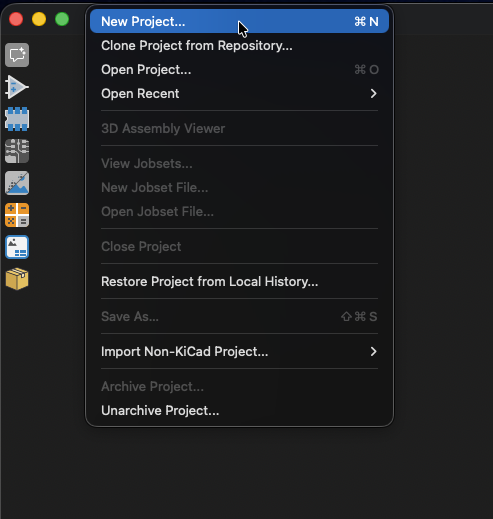
Single-board project
The standard KiCad flow: pick a directory and Zeo creates a .kicad_pro with an empty schematic and PCB. Behavior matches stock KiCad.
Multi-board project
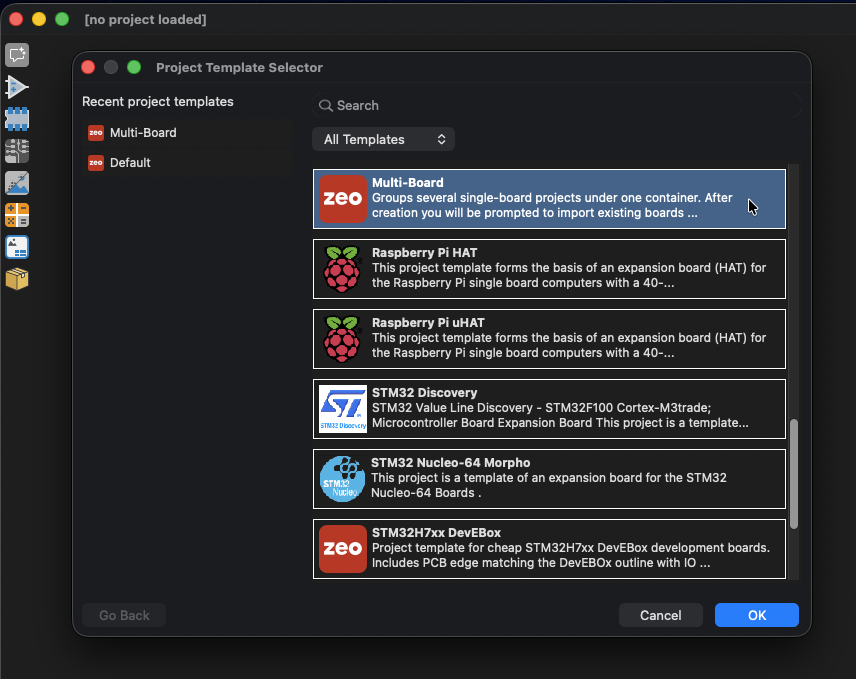
Select the Multi Board option in the new-project dialog. Zeo creates:
- A container
.kicad_proat the chosen location - A top-level multi-board schematic (
.kicad_mbs) inside the container - A subfolder for each sub-project you add
You can either create new boards inside the project, or pick existing boards to bring in.
Selecting an existing board copies its data into the container. There is no live link back to the original board on disk. Edits in the container don't propagate, and edits to the original don't appear here.
See Multi-Board Project Structure for what these files mean and how they relate.
Navigating projects
The launcher's project tree lists every file in the active project: schematics, PCBs, drawing sheets, and (for multi-board projects) every sub-project as an expandable node.
Single-board
For a single-board project, the tree mirrors the project folder. Double-clicking a .kicad_sch or .kicad_pcb opens it in the corresponding editor.
Multi-board
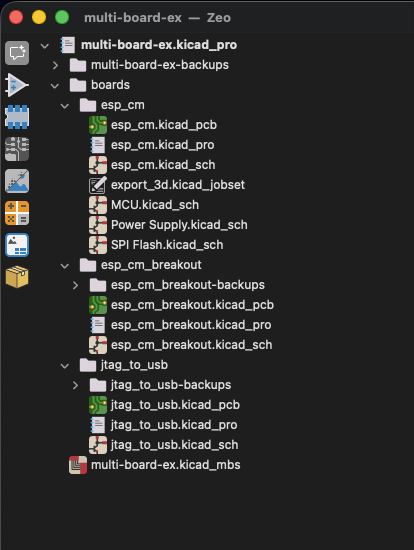
For a multi-board container, the root is the container and each sub-project appears as a child node:
my_system/
├── my_system.kicad_pro          (container)
├── my_system.kicad_mbs          (multi-board schematic)
└── boards/
    ├── board1/                  (sub-project)
    │   ├── board1.kicad_pro
    │   ├── board1.kicad_sch
    │   └── board1.kicad_pcb
    └── board2/
        ├── board2.kicad_pro
        ├── board2.kicad_sch
        └── board2.kicad_pcb
Double-clicking a sub-project's schematic or PCB opens it in a new editor window. Multiple sub-projects can be open at the same time (each in its own window), and the project tree lets you switch focus between them.
Archiving projects
Use File → Archive Project to bundle the project into a single .zip.
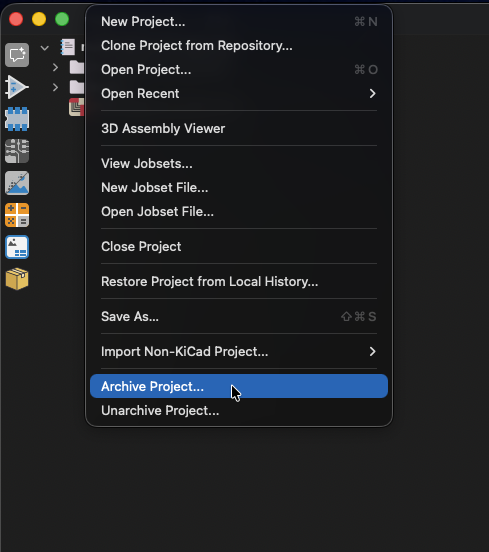
For multi-board container projects, the archive includes the container .kicad_pro, the .kicad_mbs, every sub-project's full file set, and any project-scope library files referenced by ${KIPRJMOD} paths.